Close All

It does exactly that: It closes all files currently open in InDesign.

Do you have a lot of files open and want to close them all??

Sometimes that can be annoying. You have many documents open and want to close them all.

Maybe you had to find the right file first, or you wanted to copy content from the files. Or, or, or.

Closing all open files in InDesign can quickly become a hassle. This script can help you.

Question for Adobe:
Photoshop and Illustrator have this feature! Why not InDesign???? 🤔

Script: ᴥ Close All

Close all open files

The script is available in three locations in your InDesign.
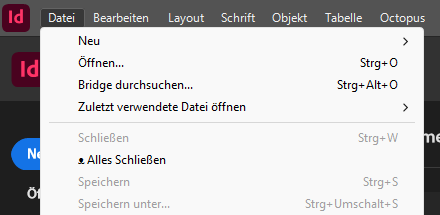
Of course—like all Octopus scripts—it’s in the “Octopus” menu and in the Scripts panel.
We’ve also added it to the “File” menu because we think that’s a good idea. After all, this feature is also located there in Photoshop and Illustrator.
All three “access points” do the same thing: they close all your open files in InDesign.
If at least one of the open files has been modified, this message appears:

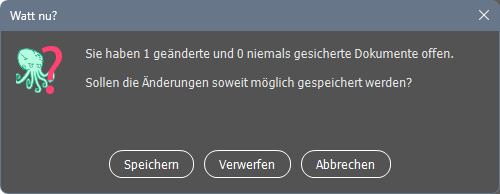
Save” saves all modified files, closes them, and closes all other files as well.

Discard” closes all files without saving

Cancel” terminates the script; nothing is saved and nothing is closed.

If all files are unchanged, they are simply closed without any further notification.

Download the Octopus installer here:

WordPress Cookie Plugin by Real Cookie Banner