
You are the most important thing for us! As well as your data and your computer!
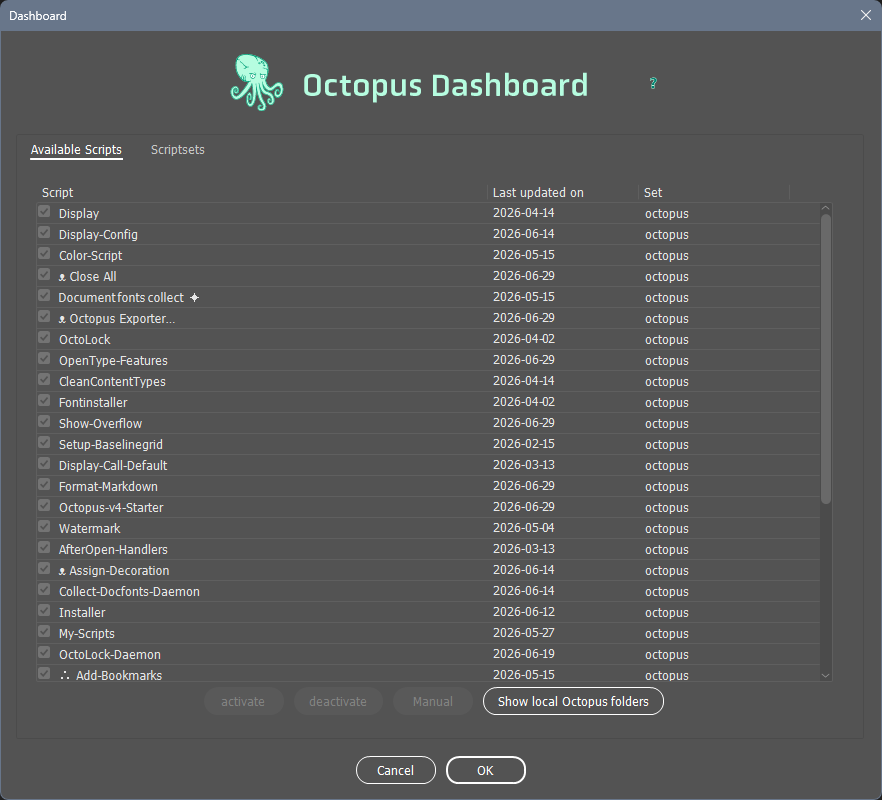
We are aware that with Octopus we place executable programs on your computer. So you know what we’re doing and where we’re putting the data, there’s the “dashboard”
Keep the overview
With the dashboard you can see where Octopus stores what
In the “Available Scripts” list, you can see everything that Octopus has downloaded to your hard drive.
You can disable individual scripts by clicking the checkbox next to the script name. Please note that there are dependencies! It’s best not to disable anything!
When you click “Show Local Octopus Folders,” all the folders in your operating system where Octopus has saved files will open.
If you wanted to uninstall Octopus—why would you want to do that????—then that would be the best option.
Once you’ve selected one of the scripts from the list, clicking the “Manual” button will open a help page in your browser.
Your Very Own Octopus
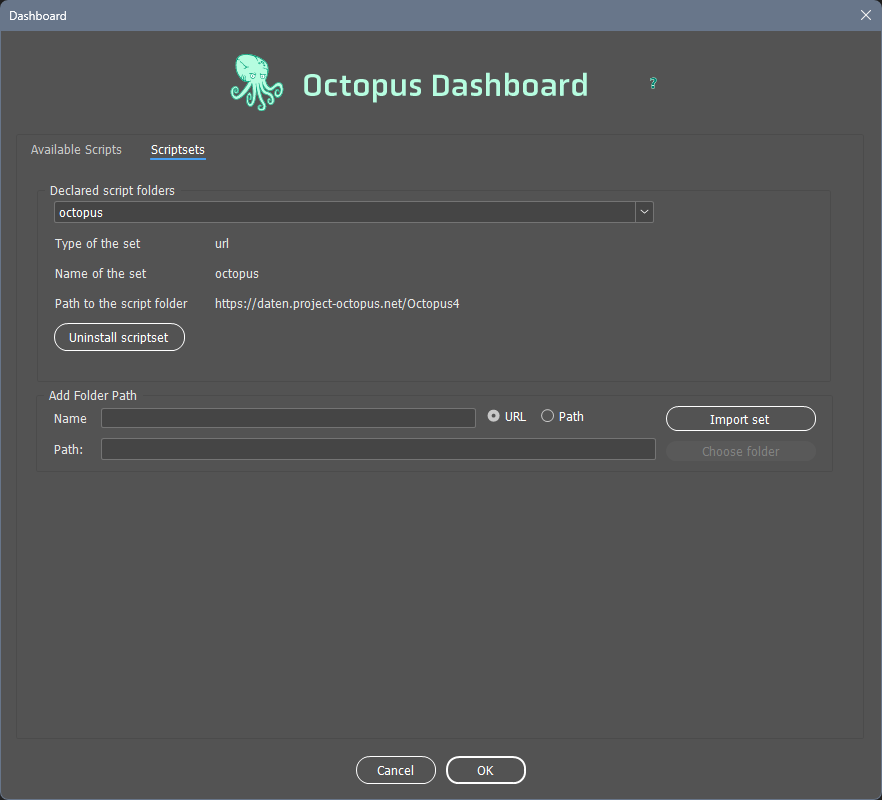
With “Scriptssets,” you can create your own Octopus.
If you have your own collection of scripts at work that you’d like to share, here’s how you can do it!
Then you’ll have your own “My Company” menu in InDesign with your own scripts.
But you’ll need a little know-how and some magic salt to do that. We’ll provide both. We’re happy to respond to friendly emails quickly.